Windows 10 end of life arrived on October 14, 2025. Since that date Microsoft no longer ships security updates, bug fixes or technical support for Windows 10 Home and Pro, and the one-year consumer Extended Security Updates program that bridged the gap runs out in October 2026. Your PC still boots, but each month on an unpatched Windows 10 makes it an easier target. Here is what ended, what ESU covers, and the four realistic paths forward.
When did Windows 10 support end?
The Windows 10 support end date was October 14, 2025, for Home, Pro, Pro Education and Pro for Workstations, all on version 22H2. That was the final feature update; there was never a 23H2 for Windows 10. The date sat on Microsoft’s end of support page for years, and it held. If you are still asking when will Windows 10 support end, the honest answer is that it already has.
A few editions run on a different clock. Enterprise LTSC 2021 is supported into January 2027, and IoT Enterprise LTSC 2021 into January 2032. We cover those further down; they suit a narrow set of machines, not a family laptop.
What does end of life actually mean for a Windows 10 PC?
Nothing switches off. The desktop loads, your programs open, and Windows Update simply stops finding new patches. What you lose is quieter:
- No security updates. New vulnerabilities discovered in Windows 10 are not fixed unless the PC is enrolled in ESU.
- No feature or quality updates. Bugs that exist today stay there.
- No Microsoft support. Support agents will point you toward Windows 11.
- Shrinking app support. Browsers and other vendors drop Windows 10 on their own schedules.
Windows 10 Pro end of life follows exactly the same timeline as Home. BitLocker and Group Policy keep working, but they do not extend the support window. Browsing and email on an unpatched Windows 10 PC “just for a while” is the situation to avoid.
Windows 10 extended security updates: the one-year bridge
For the first time Microsoft opened an ESU program to home users, not just businesses. Enrollment appeared inside Settings under Update and Security, then Windows Update, on fully patched 22H2 PCs. Microsoft offered a no-cost route tied to a Microsoft account and a paid one-time option, and one enrollment could cover several devices on that account.
The program delivers security-only updates through October 2026. It adds no features, no non-security fixes and no technical support. Businesses could buy up to three years per device at a rising annual price, which is why most used the time to migrate. Microsoft’s ESU documentation has the full terms. If you enrolled last year, the same decision comes back around this October, so treat the rest of 2026 as planning time rather than the finish line.
What to do when Windows 10 support ends: four options compared
| Option | Cost | Best for | Security updates |
|---|---|---|---|
| Upgrade in place to Windows 11 | Free if the PC qualifies | PCs from about 2018 onward with TPM 2.0 | Yes, full support through the Windows 11 lifecycle |
| New PC plus a Windows 11 key | Hardware plus a license | Older PCs that fail the Windows 11 check | Yes |
| Consumer ESU for one year | Free route or a small one-time fee | Buying time, not a destination | Security-only, ends October 2026 |
| Keep Windows 10 offline | Nothing | Legacy hardware, lab machines, one-app boxes | None, so isolate it from the internet |
Option 1: Upgrade to Windows 11 on the hardware you have
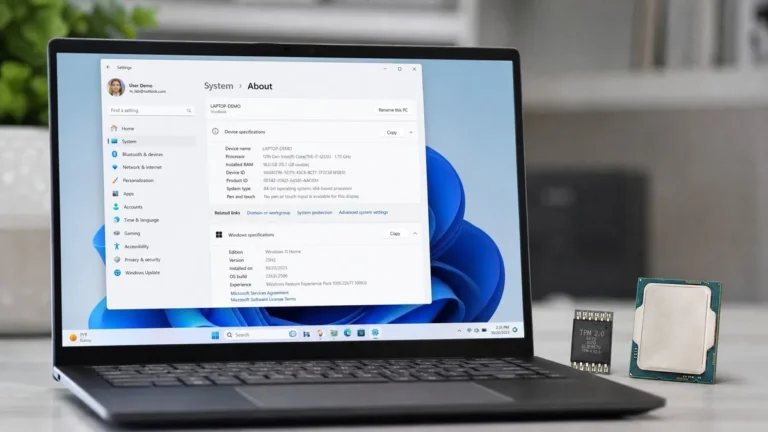
If your PC qualifies, the upgrade is free and keeps your files and programs. Windows 11 needs TPM 2.0, Secure Boot capability, 4 GB of RAM, 64 GB of storage and a supported 64-bit processor. Most machines sold from 2018 onward pass, often after one BIOS setting is flipped. Our Windows 11 requirements walkthrough explains how to check each item. Home upgrades to Home and Pro to Pro, and the digital license carries over, so no new key is needed.
Option 2: Replace the PC and license Windows 11 yourself
Machines with a 7th-generation Intel or first-generation Ryzen processor and older are blocked from the official upgrade path. Rather than pay a system builder’s markup, many readers buy a bare PC or build one and add a Windows 11 Pro license key for $10.99. If you do not need BitLocker, Remote Desktop hosting or domain join, Windows 11 Home covers gaming and everyday use. Activation happens in Settings, System, Activation, Change product key.
Option 3: Enroll in ESU and use the year well
ESU is right for a PC you plan to retire but cannot replace this month. Enroll, keep it patched, and put the October 2026 cutoff on your calendar.
Option 4: Keep Windows 10 for legacy uses, offline
Some hardware only has Windows 10 drivers. Lab instruments, CNC controllers and point-of-sale terminals often run one application certified years ago. Those machines can stay on Windows 10 indefinitely if you block them at the router and move data by USB drive. A Windows 10 Pro key still activates for a rebuild of that kind; see where to get a Windows 10 product key.
Our take: For a PC bought in 2018 or later, run the free in-place upgrade to Windows 11 this week. For anything older, put the money into a new machine and license it with a Windows 11 Pro key; the license is the cheap part. Use ESU only as a bridge, and treat any Windows 10 box that must stay in service as an offline appliance.
How to upgrade to Windows 11 in place
- Back up your files to an external drive or cloud storage.
- Run the PC Health Check app from Microsoft. If it reports a TPM or Secure Boot problem, open your BIOS or UEFI settings and enable Intel PTT or AMD fTPM, then enable Secure Boot.
- Install every pending Windows 10 update and restart. The offer appears only on a fully patched 22H2 system.
- In Settings, open Update and Security, then Windows Update. If the banner says “Upgrade to Windows 11 is ready”, choose Download and install.
- If the banner does not appear, run the Windows 11 Installation Assistant from Microsoft. It performs the same in-place upgrade.
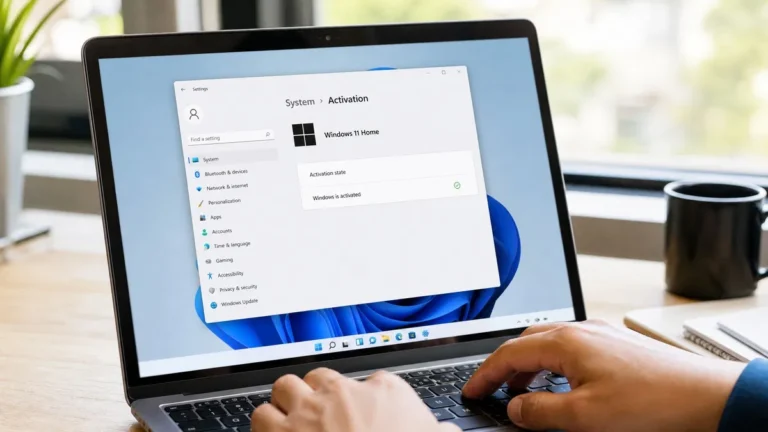
- After restarting, open Settings, System, Activation and confirm it reads “Windows is activated with a digital license”.
Expect roughly an hour on an SSD. Our Windows 11 Pro download and activation guide covers clean installs with a new key as well.
Windows 10 LTSC: the long-support editions
Long-Term Servicing Channel builds get security updates for far longer because they skip feature updates and ship without consumer apps. Windows 10 Enterprise LTSC 2021 is supported into January 2027, and Windows 10 IoT Enterprise LTSC 2021 into January 2032. There is no Store, no Cortana and no OneDrive client out of the box, which makes LTSC excellent for a kiosk or an equipment controller and a poor fit for everyday use. It installs fresh from its own media, not through Windows Update. If one stubborn Windows 10 machine must stay online for years, IoT LTSC is the version to look at.
Frequently asked questions
When did Windows 10 support end?
Mainstream support for Windows 10 Home and Pro ended on October 14, 2025, with version 22H2 as the last release. After that date Microsoft stopped shipping security updates, quality fixes and technical support for those editions. Devices enrolled in the consumer Extended Security Updates program continue to receive security-only patches through October 2026. Enterprise LTSC 2021 stays supported into January 2027, and IoT Enterprise LTSC 2021 into January 2032, because those editions follow a longer servicing schedule.
Can I still use Windows 10 after the end of life date?
Yes. Windows 10 keeps booting, running programs and activating normally. What stops is the flow of security and quality updates. For an internet-connected PC that means new vulnerabilities go unpatched, which is why we recommend upgrading, enrolling in ESU or taking the machine offline. For a device that only runs one trusted program and never touches the internet, staying on Windows 10 is a workable long-term arrangement as long as you keep backups.
Is the upgrade to Windows 11 free?
For a PC that already has an activated Windows 10 license and meets the hardware requirements, the upgrade to Windows 11 is free through Windows Update or the Installation Assistant. Home upgrades to Home and Pro upgrades to Pro, and the digital license transfers automatically. You only need to buy a Windows 11 key when you are building or buying a new PC without an operating system, or when you want to move from Home to Pro.
What is the Windows 10 Extended Security Updates program?
ESU is a Microsoft program that delivers security-only updates to Windows 10 version 22H2 after the October 2025 end of support. Consumers could enroll through Windows Update using a Microsoft account, with both a free route and a paid one-time option, for coverage through October 2026. Businesses could purchase up to three years per device at a rising annual price. ESU does not add features, fix non-security bugs or include technical support.
Which Windows 10 edition is still supported the longest?
Windows 10 IoT Enterprise LTSC 2021 has the longest runway, with support into January 2032. Windows 10 Enterprise LTSC 2021 is supported into January 2027. Both are Long-Term Servicing Channel builds that skip feature updates and ship without consumer apps such as the Store, so they suit kiosks, industrial controllers and specialized equipment rather than everyday laptops. They require a clean install from their own media; you cannot switch a Home or Pro install to LTSC through Windows Update.
Ready to move off Windows 10?
A Windows 11 Pro key from OfficeGSM arrives by email within minutes, activates on a fresh install, and comes with a step-by-step guide.