
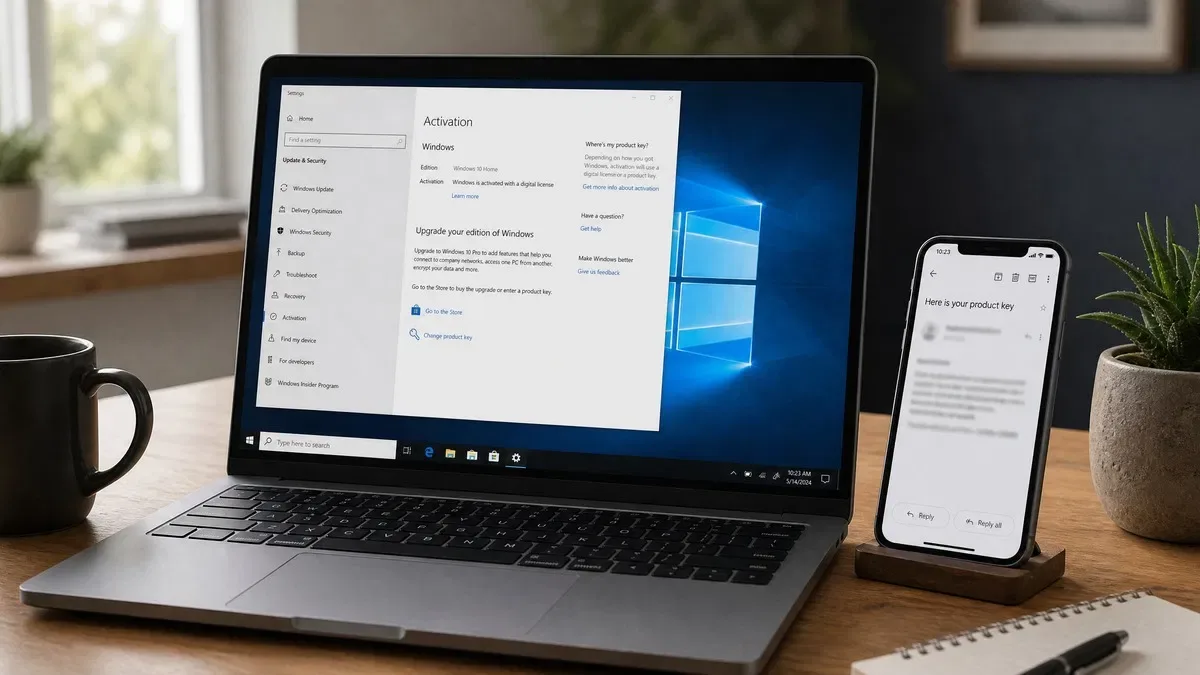
You can get a Windows 10 product key from three places: the firmware of a PC that shipped with Windows, the purchase record from wherever the license was bought, or a new key from Microsoft or an independent reseller. Microsoft no longer sells Windows 10 directly, so if you are asking where do I get a Windows 10 product key today, the practical answer is a genuine Home or Pro key from a reseller, which costs under $10 and also activates Windows 11 of the same edition.
Check whether you already have a Windows 10 license
Before spending anything, find out what your PC already holds. Many searches for a product key for Windows 10 end here.
- Open Settings > Update & Security > Activation. If it says Windows is activated with a digital license, you have a license already and a reinstall of the same edition will activate on its own.
- If the PC came from a manufacturer, open PowerShell as administrator and run
(Get-CimInstance -ClassName SoftwareLicensingService).OA3xOriginalProductKey. A 25-character result is the OEM key stored in the firmware. - Search your email for the order confirmation if Windows was bought online, or check the card inside the retail box.
- Run
slmgr /dliin an admin Command Prompt to see the edition and channel of whatever key is currently installed.
If all four come up empty, or the status is Windows is not activated with an error such as 0xC004F213, you need a key. Our full guide on how to find a Windows product key covers the edge cases.
Where to get a Windows 10 product key today
| Source | Availability in 2026 | License type | Typical cost |
|---|---|---|---|
| Firmware of a prebuilt PC | Already there if the PC shipped with Windows 8 or later | OEM, tied to that PC | Included |
| Microsoft Store | Windows 10 no longer sold; Windows 11 only | Retail | Full list price |
| Independent reseller (OfficeGSM) | Windows 10 Home and Pro in stock | Stated on the product page | $9.50 Home, $9.50 Pro |
| Retail box (new old stock) | Occasionally at retailers and marketplaces | Retail | Varies widely |
| Volume licensing | Organizations only | MAK or KMS | Per agreement |
| Anonymous marketplace listings | Plentiful | Often unstated or volume | Very low, with the risk that goes with it |
Microsoft removed Windows 10 Home and Pro from its own store in early 2023 and now sells Windows 11 only. Existing Windows 10 licenses are perpetual, and resellers who bought stock through distribution continue to sell them. That is where our Windows 10 Pro product key and Windows 10 Home product key come from, delivered by email with a 180-day guarantee. Before buying from any seller, run through the checks in are cheap Windows keys legit.
Windows 10 end of support: does a key still make sense?
Windows 10 reached end of support on October 14, 2025. Microsoft’s end of support page explains what that means: no more free security updates, feature updates or technical support for Home and Pro. The operating system keeps running and keeps activating; a key bought today works exactly as it did before that date.
There are still good reasons to want a Windows 10 product key:
- Hardware that cannot run Windows 11. Windows 11 needs TPM 2.0, Secure Boot, 4 GB of RAM, 64 GB of storage and a supported 64-bit CPU. Plenty of capable PCs from before 2018 fail the TPM or CPU check.
- Software or drivers certified only for Windows 10. Lab equipment, point-of-sale systems and older professional applications are common examples.
- Extended Security Updates. Microsoft offers an ESU program for Windows 10 that delivers security patches beyond the end-of-support date for enrolled PCs. Enrollment requires an activated copy, so the key still matters.
- An upgrade path. A Windows 10 key activates Windows 11 of the same edition, so nothing is lost if the PC is replaced later.
We lay out the options for staying on Windows 10, enrolling in ESU, or moving to Windows 11 in Windows 10 end of life: what it means and what to do next.
Windows 10 Pro product key or Home: which edition do you need?
The two editions install from the same media and receive the same updates. Pro adds features aimed at work PCs.
- Windows 10 Home covers web, office work, media and gaming. It supports up to 128 GB of RAM and every consumer feature.
- Windows 10 Pro adds BitLocker drive encryption, Remote Desktop hosting, Hyper-V virtual machines, Group Policy, Windows Update for Business and the ability to join an Active Directory domain.
If you already run Home and want Pro, you do not need to reinstall: buy a Windows 10 Pro key, enter it under Activation > Change product key, and Windows upgrades the edition in place after a restart. A Home key entered on a Pro installation will not activate, so check Settings > System > About before you order.
How to get a Windows 10 product key working in five steps
- Confirm the edition installed under Settings > System > About, and buy the matching key.
- Open the delivery email and copy the 25-character key. Real keys never contain A, E, I, L, O, S, U, Z, 0, 1 or 5.
- Go to Settings > Update & Security > Activation > Change product key, paste the key, and click Next, then Activate.
- Wait a few seconds for Windows is activated. If you see an error code, the Windows 10 Pro download and activation guide lists what each one means and how to fix it.
- Sign in with a Microsoft account so the digital license is linked to it. That link lets you reactivate after a hardware change without the key.
If you are installing from scratch, Microsoft still hosts the Windows 10 media creation tool. Skip the key prompt during setup with I don’t have a product key, choose your edition, and enter the key in Settings afterwards.
Should you buy Windows 10 or Windows 11 in 2026?
If the PC qualifies for Windows 11, buy a Windows 11 key. Support runs for years, the price is nearly identical, and you avoid an upgrade later. Our Windows 11 Pro license key is $10.99. If the PC fails the Windows 11 hardware check, or you need Windows 10 for a specific application, a Windows 10 key is the right purchase, and it remains usable for Windows 11 if you move to new hardware.
Our take: Check for an existing license first; a surprising number of PCs already have one in the firmware or as a digital license. If you do need to buy, get the edition that matches your installation, from a seller who names the license type and stands behind it. A Windows 10 Pro key at $9.50 from our operating systems range activates in a minute, is covered for 180 days, and doubles as a Windows 11 Pro license whenever you are ready to move.
Frequently asked questions
Can I still buy a Windows 10 product key after end of support?
Yes. Microsoft stopped selling Windows 10 licenses through its own store in early 2023, but existing licenses are perpetual and independent resellers still sell genuine Windows 10 Home and Pro keys. The keys activate normally against Microsoft’s servers, and an activated Windows 10 PC keeps working after October 14, 2025. What ended on that date is free security updates, not activation or the right to use the software. Buy from a seller who states the license type and offers a guarantee.
Does a Windows 10 product key activate Windows 11?
Yes, as long as the editions match. A Windows 10 Home key activates Windows 11 Home and a Windows 10 Pro key activates Windows 11 Pro. Microsoft treats them as the same license, which is why a Windows 10 PC upgrades to Windows 11 without asking for a new key. The hardware still has to meet Windows 11’s requirements, including TPM 2.0, Secure Boot and a supported 64-bit CPU. On a PC that does not qualify, the same key simply keeps Windows 10 activated.
Where do I find my existing Windows 10 product key before buying a new one?
Check Settings, Update and Security, Activation first. If it says Windows is activated with a digital license, you already have a license and need nothing. If your PC came with Windows preinstalled, open PowerShell as administrator and run the command (Get-CimInstance -ClassName SoftwareLicensingService).OA3xOriginalProductKey to read the key from the firmware. Otherwise look in the confirmation email from wherever Windows was bought. Only buy a new key once those come up empty.
Is a Windows 10 Pro product key worth the extra over Home?
The gap is small, so it depends on features rather than price. Windows 10 Pro adds BitLocker drive encryption, Remote Desktop hosting, Hyper-V, Group Policy and the ability to join a work domain. If you use none of those, Home is the same operating system in every other respect and costs slightly less. If you might want BitLocker or Remote Desktop later, buy Pro now, because moving from Home to Pro afterwards means buying a second key rather than a cheap top-up.
Windows 10 Pro, genuine and under $10
A Windows 10 Pro product key delivered by email, activated through Settings, valid for Windows 11 Pro too, and backed by our 180-day guarantee.