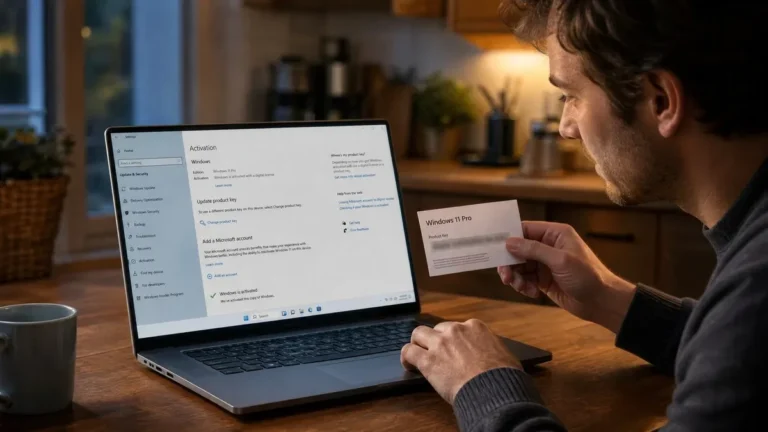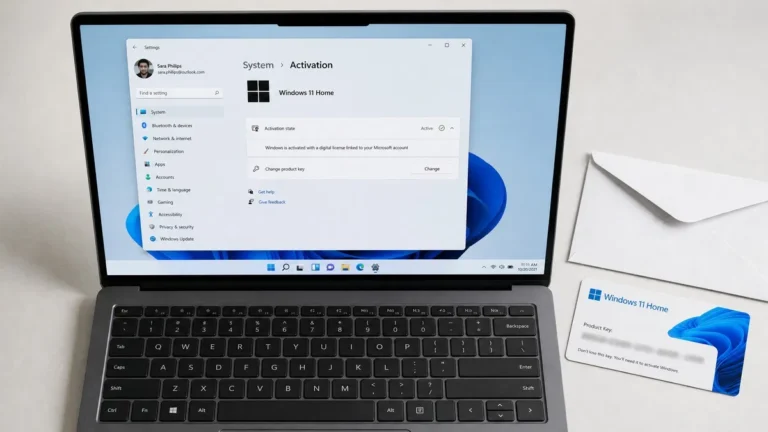
Windows OEM vs retail comes down to one thing: an OEM license is locked to the first PC it activates on, while a retail license can be moved to a new computer whenever you replace the old one. The Windows you get is identical either way, same features, same updates, same activation screen. The difference is in the license terms, the price and who provides support, and those differences decide which key you should buy.
What is Windows OEM?
OEM stands for Original Equipment Manufacturer. An OEM license is the copy of Windows that PC makers such as Dell, HP and Lenovo preinstall on the machines they sell. On any PC shipped with Windows 8 or later, the OEM key is written into the UEFI firmware, so setup reads it automatically and the owner never types it. Microsoft also sells a variant called System Builder for people who assemble their own PCs; it is the same license type sold in a plain envelope.
The defining rule is that an OEM license belongs to the hardware, not the person. Microsoft’s terms tie it to the motherboard it first activates on. Swap the drive, graphics card, memory or CPU and Windows will reactivate. Replace the motherboard with a different one and the license is considered used up. Support comes from the PC maker rather than Microsoft, which is why an OEM key costs less.
What is a retail Windows license?
A retail license, sometimes written FPP for Full Packaged Product, is what Microsoft sells in a box or as a download to end users. It follows the person rather than the machine. You can install it on one PC, and when you retire that PC you can remove Windows from it and activate the same key on a new one. Retail licenses also include Microsoft’s own activation and installation support.
Our Windows 11 Pro license key and Windows 11 Home license key both activate through Settings like any other key, and the product page tells you what you are buying before you pay.
OEM vs retail key: the differences side by side
| OEM license | Retail license | |
|---|---|---|
| Tied to | The first motherboard it activates on | The owner; one PC at a time |
| Transfer to a new PC | Not permitted | Permitted after removing it from the old PC |
| Motherboard replacement | Same model under warranty only | Any motherboard; reactivate with the key or the troubleshooter |
| Support | From the PC maker | From Microsoft |
| Typical price | Lower | Higher |
| Features and updates | Identical | Identical |
| slmgr /dli shows | OEM_DM or OEM_COA channel | RETAIL channel |
| Upgrade to Windows 11 | Yes, if the hardware qualifies | Yes |
The features row is the one people miss. Windows 11 Home OEM vs retail is not a Home vs Pro question; both are the full Home edition with every update. What you pay extra for with retail is the transfer right and Microsoft support, nothing in the software itself.
How do you check if a Windows key is OEM or retail?
You do not need any third-party software. Windows includes a script that reports the license channel.
- Right-click Start and open Terminal (Admin) or Command Prompt (Admin).
- Type
slmgr /dliand press Enter. A small Windows Script Host window appears after a few seconds. - Read the Description line. It ends with the channel: RETAIL channel, OEM_DM channel for a firmware key, OEM_COA_NSLP channel for a System Builder key, or VOLUME_KMSCLIENT channel for a corporate KMS client.
Microsoft documents each switch on its slmgr.vbs options page. If a key sold as retail reports a volume channel, the seller misdescribed it and you should ask for a refund. Our post on what a Windows product key is explains the other channels.
Are OEM Windows keys legal?
Buying an OEM or System Builder key for a PC you are assembling is legitimate and is exactly what the license was created for. Microsoft’s terms require that the software is installed on a new PC and stays with it. Two gray areas are worth knowing about:
- Keys pulled from prebuilt PCs. Some sellers harvest firmware keys from decommissioned machines and resell them. These often activate at first, but Microsoft can block a key that appears on different hardware than the machine it shipped with.
- Volume license keys sold as OEM. A MAK or KMS key from a corporate agreement is not licensed for resale to individuals, and it can stop activating without warning when the agreement ends or Microsoft revokes it.
A useful rule: a legitimate OEM key comes with a clear statement of the license type, an invoice from a named company, and a guarantee. The channel test above lets you confirm what you received. We go further into how to tell a genuine seller from a risky one in are cheap Windows keys legit.
How do you transfer a retail license to a new PC?
Moving a retail license takes a few minutes and works best when the license is linked to your Microsoft account.
- On the old PC, sign in with your Microsoft account so Settings > System > Activation reads digital license linked to your Microsoft account.
- Still on the old PC, open an admin Command Prompt and run
slmgr /upkto uninstall the key, thenslmgr /cpkyto clear it from the registry. Wipe or retire the machine. - Install Windows on the new PC, choosing the same edition and skipping the key prompt with I don’t have a product key.
- Sign in with the same Microsoft account, open Settings > System > Activation, and select Troubleshoot, then I changed hardware on this device recently. Pick the old PC from the list and click Activate.
- If the troubleshooter does not list the device, use Change product key and enter the retail key directly.
Microsoft describes the troubleshooter on its Activate Windows page. An OEM license fails at step four because the servers see a different motherboard, which is the whole difference in practice.
Which should you buy: OEM or retail Windows?
Pick based on how you use hardware, not on the price gap alone.
- Buying a prebuilt PC: nothing to decide. The OEM license is included and lives in the firmware.
- Building a PC you will keep as-is for years: an OEM or System Builder key is the cheaper, fully legitimate choice.
- Building a PC you will upgrade piece by piece, including the board: retail. One motherboard swap pays back the price difference.
- Upgrading from Home to Pro: a retail Pro key, since it applies on top of your existing Home license and moves with you later.
Our take: For a home-built PC, retail is the sensible default. The price difference is small compared with the cost of a second license when a motherboard dies out of warranty, and the Microsoft account link makes reactivation painless. We sell genuine keys with the license type stated on the product page and a 180-day guarantee, and you can confirm the channel yourself with slmgr /dli the moment you activate. Browse the full operating systems range or start with the Windows 11 Pro download and activation guide.
Frequently asked questions
Are OEM Windows keys legal to buy on their own?
Yes, with a condition. Microsoft sells OEM System Builder licenses for people assembling a PC, and the license terms say the copy must be installed on a machine that is then either used by the builder or sold with Windows preinstalled. Buying and using an OEM key on a PC you built is fine. What you cannot do is treat it as a retail license and move it between machines. The keys stripped from prebuilt PCs by resellers are a murkier area, which is why we recommend checking the channel with slmgr after activation.
Can I transfer an OEM license to a new PC?
No. An OEM license is bound to the first motherboard it activates on, and Microsoft’s license terms do not allow it to move to a different computer. You can replace other components, including the drive, RAM, graphics card and CPU, and reactivate without trouble. If the motherboard fails and is replaced with the same model under warranty, activation normally survives too. Anything else counts as a new PC and needs a new license, which is the main reason retail keys cost more.
How do I check if my Windows key is OEM or retail?
Open Command Prompt or Terminal as administrator and run slmgr /dli. A small window appears after a few seconds. The Description line ends with the channel: RETAIL channel means a retail key, OEM_DM channel means the key came from the PC’s firmware, OEM_COA_NSLP means a system builder key, and VOLUME_KMSCLIENT or VOLUME_MAK means a corporate volume license. If you bought a key that was sold as retail and slmgr shows a volume channel, contact the seller.
Is Windows 11 Home OEM vs retail any different from Pro?
The rules are identical for both editions. A Windows 11 Home OEM license stays with its first motherboard and gets support from the PC maker; a Windows 11 Home retail license can move to a new PC and includes Microsoft support. The features inside Windows are exactly the same either way, so the decision comes down to how long you expect to keep the hardware and whether the price gap is worth the transfer right for you.
Ready for a license that moves with you?
Windows 11 Pro delivered by email, activated through Settings in a minute, and covered by our 180-day guarantee.