Office 2021 vs 2024 comes down to three things: Office 2024 gets Microsoft security updates until October 9, 2029 while Office 2021 stops on October 13, 2026; Excel 2024 adds a generation of new functions (TEXTSPLIT, VSTACK, GROUPBY, the REGEX family) on top of the dynamic arrays and XLOOKUP that arrived in 2021; and Office 2024 drops Publisher. Both are one-time purchases with the same Word, Excel, PowerPoint and Outlook you already know. If you are buying today, Office 2024 is the better value for almost everyone; if you need Publisher or already own 2021, there is no rush.
Compare Office 2021 and Office 2024 side by side
Both suites are perpetual licenses. You pay once, install on one PC, and the software never expires. Neither includes Copilot or extra OneDrive storage; those belong to the Microsoft 365 subscription, which we cover separately in Office 2024 vs Microsoft 365. The differences that matter are in the table.
| Feature | Office 2021 Professional Plus | Office 2024 Professional Plus |
|---|---|---|
| Release | October 2021 | October 2024 |
| Support ends | October 13, 2026 | October 9, 2029 |
| Word, Excel, PowerPoint, Outlook, OneNote | Yes | Yes |
| Access | Yes | Yes (Pro Plus only) |
| Publisher | Yes | Removed |
| Teams | Bundled | Not bundled |
| Dynamic arrays, XLOOKUP, LET, FILTER | Yes | Yes |
| TEXTSPLIT, VSTACK, GROUPBY, PIVOTBY, REGEX functions | No | Yes |
| Interface | Windows 11 style refresh | Refined, rounded, dark mode across all apps |
| Outlook | Classic Outlook | Classic Outlook (new Outlook available separately) |
| Price at OfficeGSM | $14.99 | $14.95 |
What is the difference between Microsoft Office 2021 and 2024 in Excel?
Excel is where most of the change lives. Office 2021 brought dynamic arrays to perpetual-license users: type a formula once and it spills results into as many cells as it needs. It also introduced XLOOKUP and XMATCH as replacements for VLOOKUP, plus LET for naming values inside a formula and the FILTER, SORT, UNIQUE and SEQUENCE functions.
Excel 2021 vs 2024 is about the next wave. Excel 2024 includes the functions Microsoft 365 users received over the following three years:
- Text handling: TEXTSPLIT, TEXTBEFORE, TEXTAFTER for splitting a full name or a CSV string without helper columns.
- Array shaping: VSTACK, HSTACK, TAKE, DROP, CHOOSEROWS, CHOOSECOLS, WRAPROWS, WRAPCOLS, TOCOL, TOROW, EXPAND.
- Aggregation: GROUPBY and PIVOTBY, which build a pivot-style summary with a single formula that updates live.
- Pattern matching: REGEXTEST, REGEXEXTRACT and REGEXREPLACE.
- IMAGE: pulls a picture from a URL into a cell.
Practically, a workbook that a colleague builds in Microsoft 365 with TEXTSPLIT or GROUPBY will show #NAME? errors when opened in Excel 2021. In Excel 2024 it just works. If you exchange spreadsheets with subscription users, this alone justifies the upgrade. Microsoft’s What’s new in Office LTSC 2024 page lists the full set.
What changed in Word, PowerPoint and Outlook?
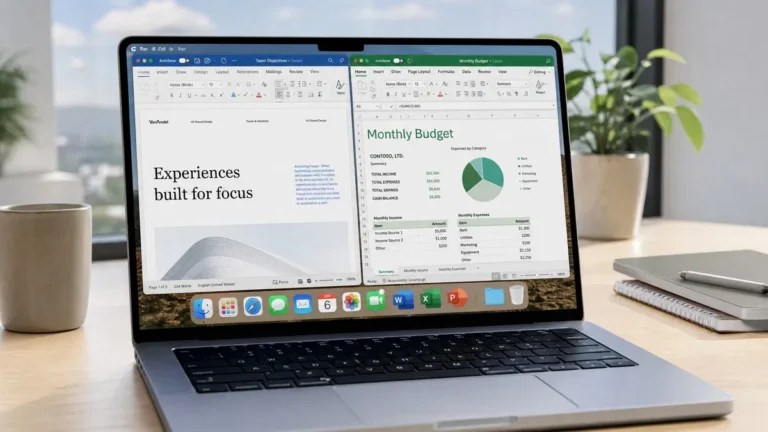
Less than in Excel, but the changes are visible. Office 2024 has a refreshed interface with rounded corners and a dark mode that now applies to the document canvas in Word, not just the ribbon. Word 2024 handles image-heavy documents more smoothly. PowerPoint 2024 adds Cameo, which embeds your webcam feed into a slide, plus better recording tools. Outlook 2024 is still classic Outlook, but it opens and searches faster.
Office 2021 has none of these refinements, though its interface already fits Windows 11. Anyone moving from Office 2016 or 2019 will notice a big jump either way; anyone moving from 2021 to 2024 will notice polish rather than a redesign.
Publisher removed in 2024: does it matter to you?
The one thing Office 2021 has that Office 2024 lacks is Publisher. Microsoft dropped it from the 2024 perpetual suite and has confirmed that Publisher leaves Microsoft 365 in October 2026 as well. If you produce newsletters, brochures or labels in Publisher, this is a real consideration. Your options are to keep Office 2021 Professional Plus installed for Publisher alone, to move those files into Word (which has grown decent layout tools) or to pick a dedicated desktop publishing app.
Access survived the cut and remains in Office 2024 Professional Plus. Note that Office LTSC 2024 Standard, the cheaper corporate edition, includes neither Access nor Publisher, so check which edition you are buying if you use databases.
Support dates: October 13, 2026 vs October 9, 2029
This settles it for most buyers. Microsoft gives each perpetual Office release five years of support with no extended phase. Office 2021 support ends on October 13, 2026, just over a year from now. Office 2024 runs to October 9, 2029. After end of support the software keeps working and stays activated, but new security holes are never patched, a poor position for an app that opens email attachments all day.
Buying Office 2021 today means buying about one year of patches. Buying Office 2024 means buying about three. At OfficeGSM the two keys are priced within cents of each other ($14.99 for 2021 Pro Plus, $14.95 for 2024 Pro Plus), so the newer release is the obvious value unless Publisher is the deciding factor. The full picture of every release, including 2016 and 2019 which both ended on October 14, 2025, is in our Microsoft Office versions compared guide. Microsoft publishes the official dates on its Office 2021 lifecycle page.
Our take: buy Office 2024 Professional Plus unless you depend on Publisher. The price difference is negligible, Excel 2024 fixes the formula compatibility gap with Microsoft 365 users, and you get three years of security updates instead of one. If Publisher is essential, Office 2021 Professional Plus is still a genuine, activatable license today and will remain usable after 2026, just without patches.
How to upgrade Office 2021 to 2024
Microsoft offers no upgrade pricing between perpetual versions, so the process is a fresh purchase and a clean install. It takes about 20 minutes.
- Back up your Outlook data file (.pst) if you use POP accounts or local archives.
- Buy an Office 2024 Professional Plus license key. The key and the official installer link arrive by email within minutes.
- Go to Settings > Apps > Installed apps, uninstall Microsoft Office Professional Plus 2021, and restart the PC.
- Run the Office 2024 installer from the order email and wait for it to finish.
- Open Word, go to File > Account, click Change Product Key and enter the 25-character key. The Account page should read “Product Activated”.
- Open Outlook and let your accounts reconnect. Custom templates carry over untouched.
Every step, with screenshots, is in our Office 2024 Professional Plus download and activation guide.
Frequently asked questions
Is Office 2024 better than 2021?
For most people, yes, but not dramatically. Office 2024 has the newer Excel functions (TEXTSPLIT, VSTACK, GROUPBY, PIVOTBY, REGEXTEST and the rest), a refreshed interface that matches Windows 11, better performance opening large files, and three more years of Microsoft support. Office 2021 is still fully usable and includes Publisher, which 2024 dropped. If you already own Office 2021 and it does what you need, there is no urgent reason to move before its support ends on October 13, 2026. If you are buying fresh today, 2024 is the sensible pick.
What is the difference between Excel 2021 and Excel 2024?
Excel 2021 introduced dynamic arrays, XLOOKUP, XMATCH, LET, FILTER, SORT, UNIQUE and SEQUENCE. Excel 2024 keeps all of those and adds the functions Microsoft 365 users received between 2022 and 2024: TEXTSPLIT, TEXTBEFORE, TEXTAFTER, VSTACK, HSTACK, TAKE, DROP, CHOOSEROWS, WRAPROWS, IMAGE, GROUPBY, PIVOTBY and the REGEX functions. It also recalculates large workbooks faster and supports Focus Cell. If you share workbooks with people on Microsoft 365, Excel 2024 removes most of the #NAME? errors that appear when a 2021 user opens a file built with newer functions.
How do I upgrade Office 2021 to 2024?
There is no in-place upgrade path or discount from Microsoft. You buy an Office 2024 license, uninstall Office 2021 through Settings > Apps, restart, then install Office 2024 from the official installer linked in your order email and activate it in File > Account with the new key. Uninstalling does not touch your documents, templates or Outlook data files, though we recommend backing up your .pst file first. The whole process takes about 20 minutes. Our download guide covers each screen.
Does Office 2024 still have Publisher and Access?
Office 2024 Professional Plus includes Access but not Publisher. Microsoft removed Publisher from the 2024 perpetual release and has announced the app is being retired from Microsoft 365 as well in October 2026. Office 2021 Professional Plus includes both Access and Publisher, which is one of the few reasons to prefer the older version. Office LTSC 2024 Standard has neither Access nor Publisher. If you rely on Publisher for newsletters or flyers, keep a copy of Office 2021 installed or plan to move those files to Word or another layout tool.
When does support end for Office 2021 and Office 2024?
Office 2021 (both retail and LTSC) reaches end of support on October 13, 2026. After that date Microsoft stops issuing security updates for it, though the software keeps running and stays activated. Office 2024 is supported until October 9, 2029, giving it a full three extra years. Both are fixed five-year lifecycles with no extended support phase. For comparison, Office 2016 and Office 2019 both ended on October 14, 2025. If you buy a perpetual license today and want the longest runway of security patches, Office 2024 is the only current option.
Move up to Office 2024
The newest perpetual Office, with Excel’s latest functions and Microsoft security updates to October 2029. One key, one PC, delivered by email.